Collecting Metadata through Questions
|
|
|



Metadata are information collected about a respondent. These can be employee ID, location of work, etc. While creating a program, you can set questions to collect metadata about the respondents.

Metadata can be collected using the following question types only:
This article will help you understand:
How do you set up a question to collect metadata?
What are the benefits of collecting metadata through programs?

Suppose you are creating a survey about the hospital visit experience of patients.
You are gathering feedback from patients visiting the hospital. And you are using Dropthought create a survey. To ease you in analyzing the responses, you can set up questions that collect patient ID, location, hospital visit date, etc. as metadata questions.
This will help you deep dive into the results of different segments of your respondents. These segments are automatically created based on the metadata that’s collected.
Benefits of collecting metadata
Dropthought will segment responses received based on the metadata. Better grouping and more visibility to the responses.
You can reduce time in deducing responses based on the respondents.
Having metadata questions is particularly useful for surveys where you don't have a specific list of respondents that you already have information about.
Set up Metadata Question
Follow the below steps to set up a question to gather metadata:
Navigate to the program’s Question tab.
Create a question of type: Multiple Choice, Open Ended, Multiple Open Ended or Picture Choice.
Check the box for Use answer for metadata.
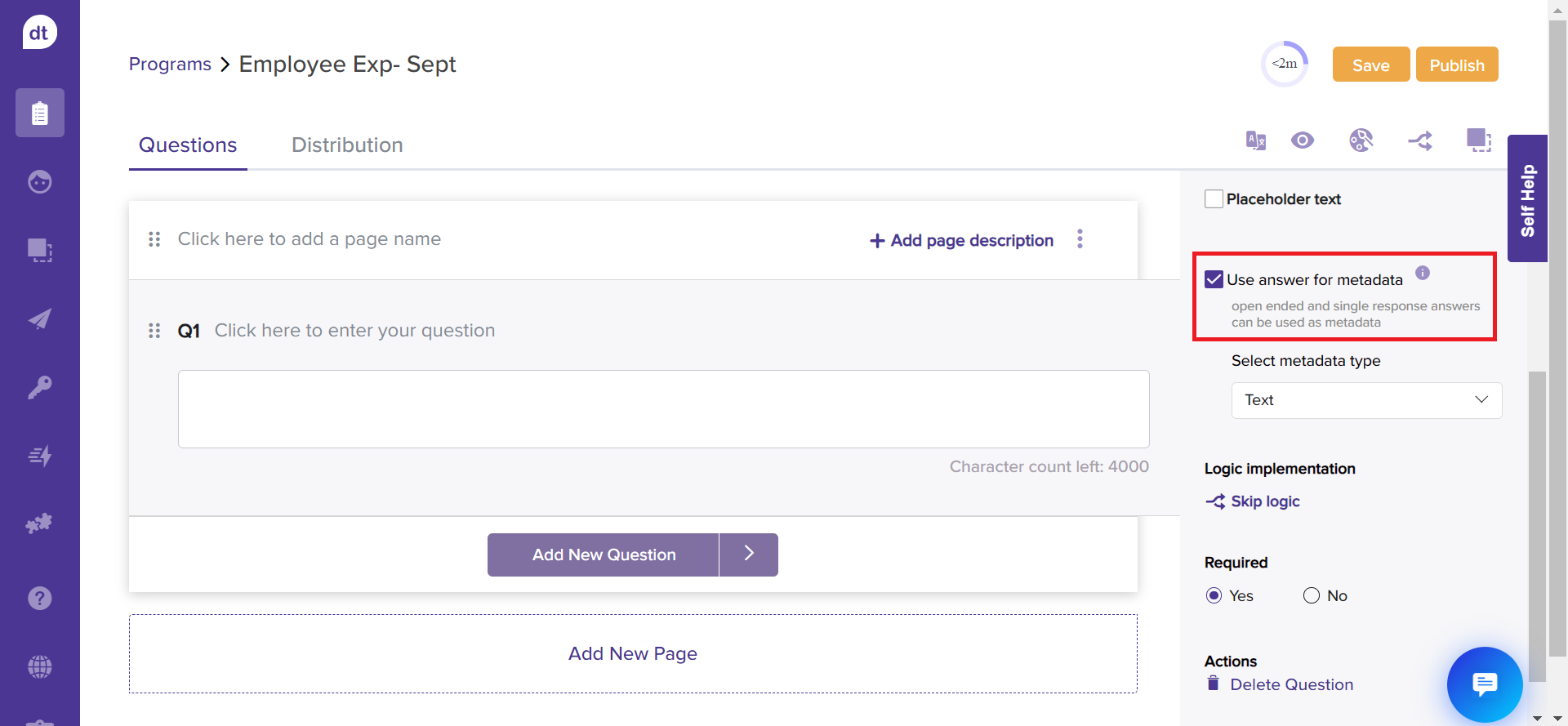
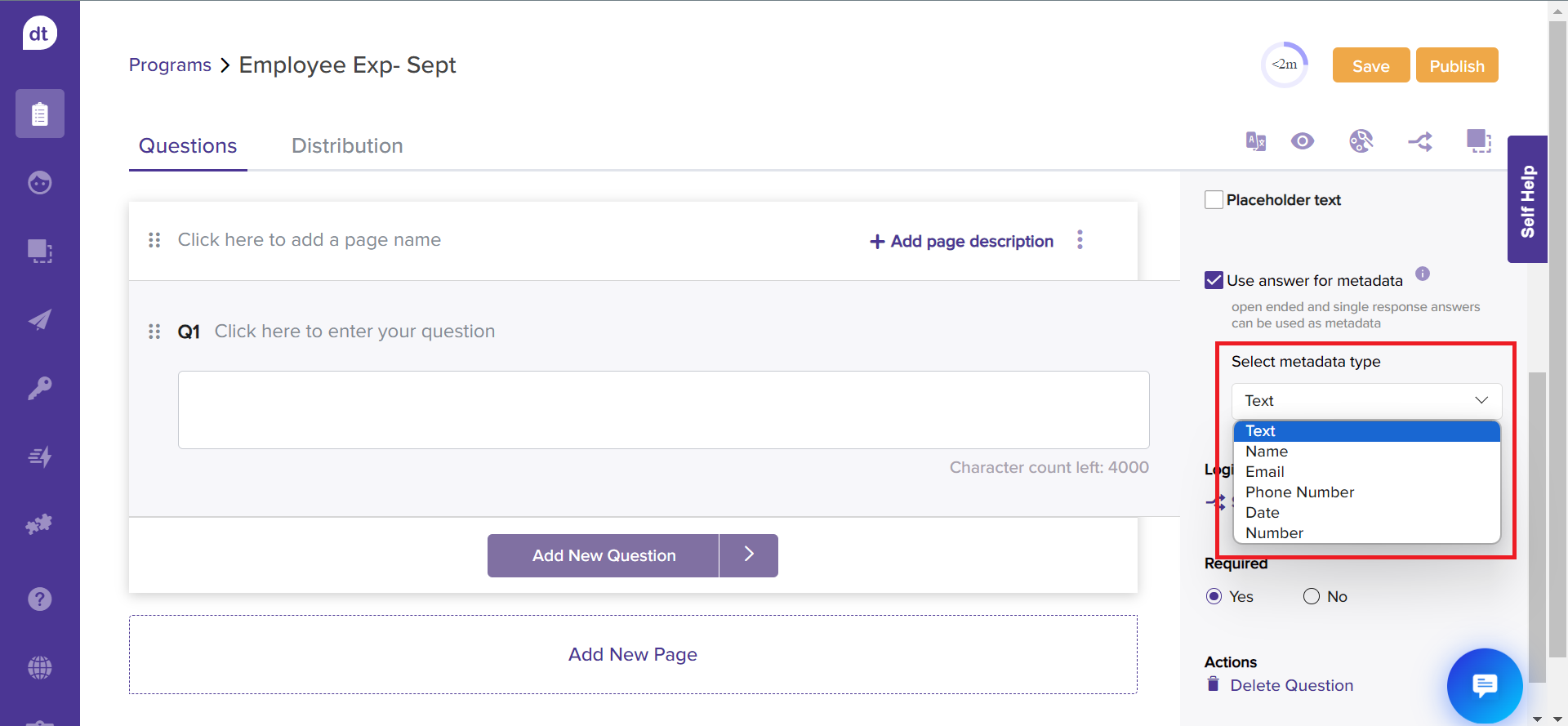
Select a metadata type from the dropdown list. This allows Dropthought to group the metadata against suitable metadata type.
Voila! you have set up a question to collect metadata!
Question Types & Metadata
You can collect metadata only using four question types. Please note the following while using any of the question types.
Multiple Choice:
Single Response: You can collect metadata of text type only.
Multiple Response: You cannot collect metadata for this question type.
Dropdown: You can collect metadata of text and number only.
Open-ended: You can collect metadata of type text, name, email, phone number, date, and number.
Multiple Open-Ended: You should add labels to all the options.
Picture Choice: You can collect metadata of text type only.