Adding Metric to a Question
|
|
|



Metrics allows you to measure important aspects through the responses. These come in handy when the reports are generated.

You can add metrics only for Rating and Matrix Rating questions.
This article will help you understand:
What are the benefits of having metrics added to your questions?
How do you enable metrics for a question?
Benefits of Adding Metrics
It can help gauge essential aspects.
One metric can be associated with more than one rating question. This way, you can have more insights drawn from it.
When you add a metric to a rating question, the labels automatically change based on the selected metric.
Add a Metric to a Question
You can use the already-created metric or create a new metric on the go.
Follow the below steps to add a metric to a question:
Navigate to a program’s Questions tab.
Add a Rating or Matrix Rating question.
Check the box for Use answer for the metric score.
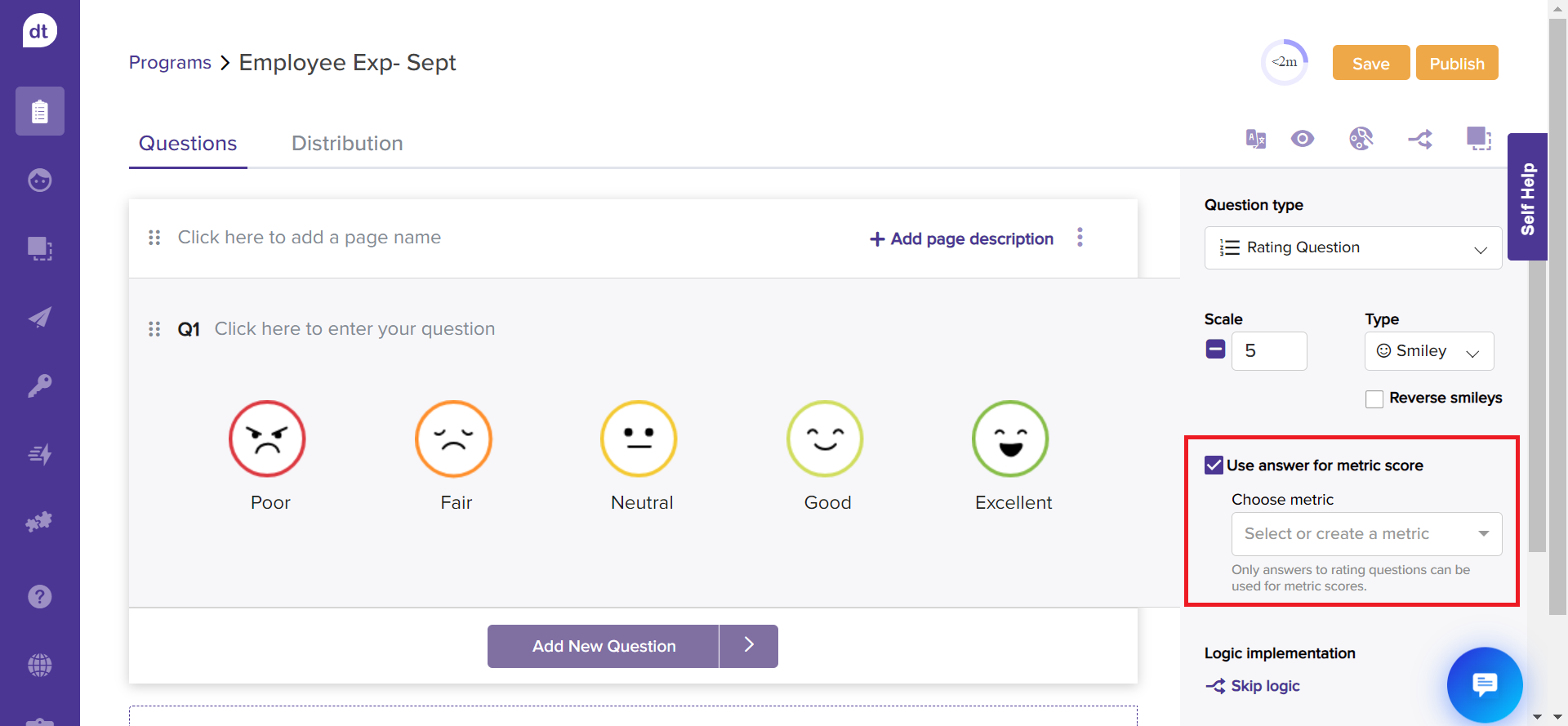
Select a metric from the drop-down menu.
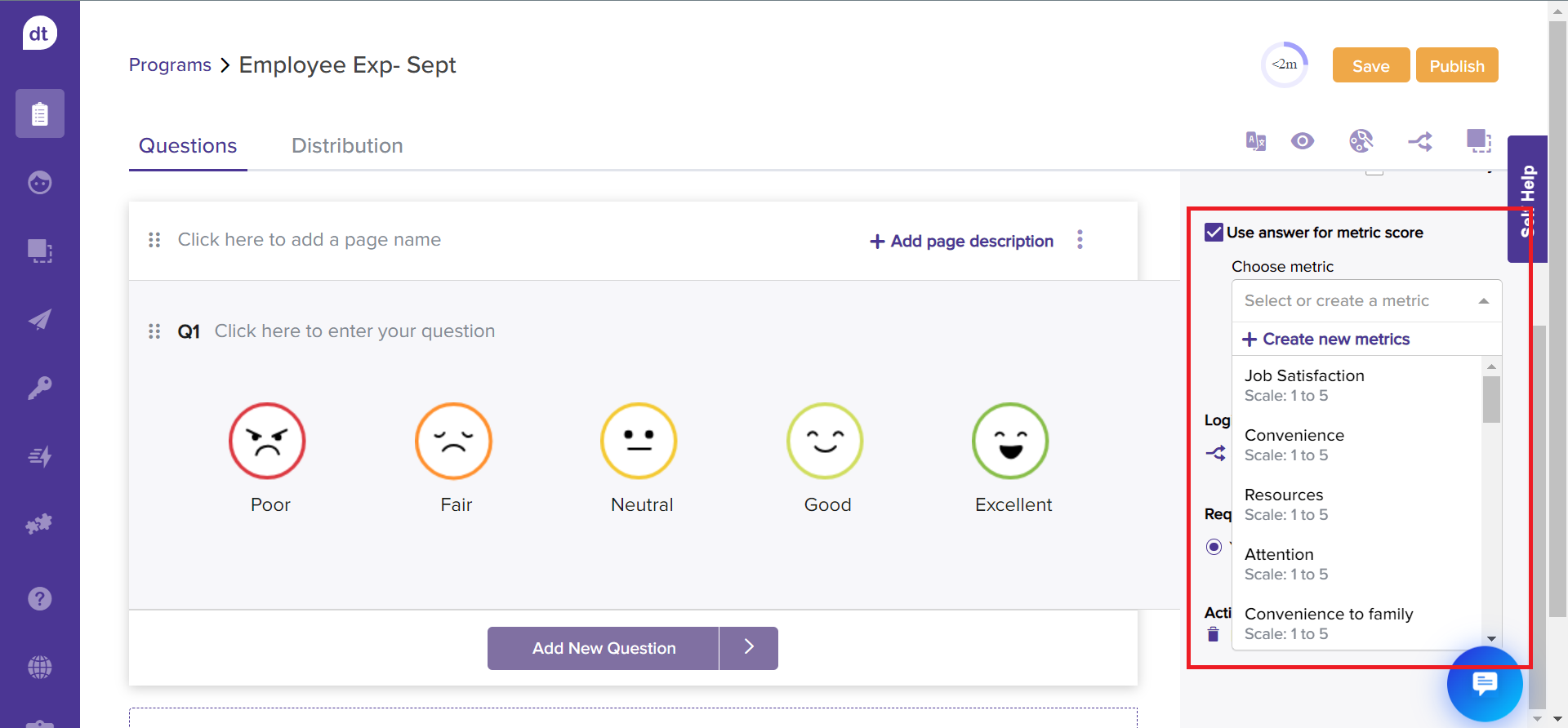
If you cannot find the desired metric, click +Create new metrics.
Add a metric name and click on Create. The new metric will be available to use for all programs.
Upon selecting a metric, the rating labels will be automatically changed. This is to ensure better results.
You have added a metric to the question.
Note
It is recommended to add appropriate metrics to rating questions for better insights.
You can add metrics to any number of rating questions.